- INSTALLATION
-
If the System Preferences application is running, please quit it.
Strange things can happen otherwise.
Double-click the FinderPop.prefpane icon you downloaded. System Preferences will
open and ask if you want to install FinderPop for all users or just you.
Choose, and the System will install the FinderPop Preference Pane.
FinderPop may ask you for the
admin password in order to set certain permissions on some FinderPop files.
This is only done once at installation time.
If you had an older version of FinderPop already installed, you will have to restart
to begin using the new version.
- USAGE
-
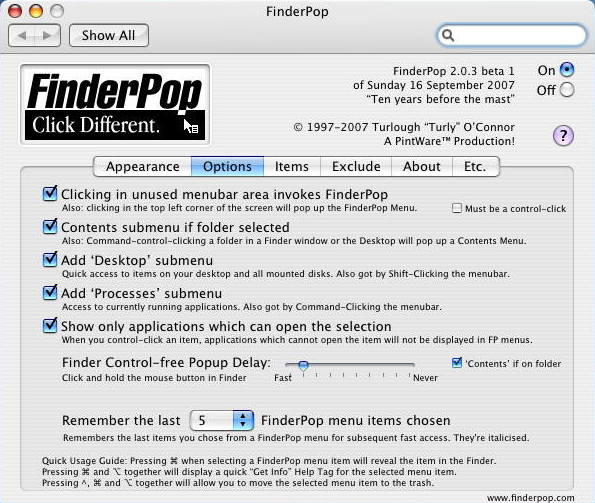
After installation, open the FinderPop Preferences Pane. Click on the
"Items" tab, then on the "Show FinderPop Items" button. You'll be
switched to the Finder with a folder called "FinderPop Items" showing.
Add aliases to your favourite apps/folders/disks/documents to this
"FinderPop Items" folder.
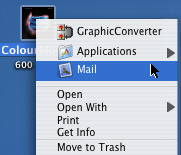
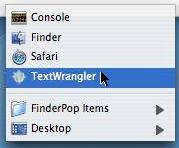
Next time you control-click, the items you added will be part of your
contextual menu!
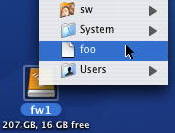
Additionally, click a blank portion of the menubar anytime to have instant access to
these items and more. While browsing FinderPop menus, pressing
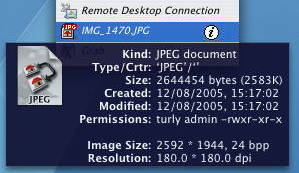
Command-Option will display a "Get Info" help tag,
pressing Cmd-Opt-Control will allow you to move the
selected item to the trash, and pressing Command while selecting
an item will reveal that item in the Finder. Also, pressing 'i' will
immediately show the Finder Info window for the item, 'r' will
immediately reveal the item, 'q' will QuickLook it (Leopard only),
'g' will "grab" or "pick up" the item and allow you to drag it around (as
with all Mac drags, dragging to the menubar and letting go aborts
the drag.) Pressing Tab will bring up a "FinderPop Info" window on the item.
Other features: Command-control-click a folder to get a Contents popup menu.
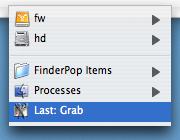
Shift-click an unused portion of the menubar to see a Desktop menu with your mounted disks and items on your desktop. Command-click an unused portion of the menubar to see a
Processes menu. If Control is down as well, background-only processes will also
be shown in the Processes menu. Press Command-Option-Control to kill a process.
- HELP
-
Please use the FinderPop Help button in the preference pane; there are
many features in FP that are not immediately obvious. I'm working on it :-)
The FAQ in the Help is also worth a read. Most UI elements have fairly comprehensive
help tags, so just hover the mouse over something if you're not sure.
The 2.1 manual is also available online.
(Mini Table Of Contents:
FinderPop Basics ;
Invoking FinderPop ;
Navigating FinderPop Menus ;
FinderPop's Info Window ;
Hints & Tips ;
FAQ me! ;
Release Notes ;
)
There is also the FinderPop Support Forum,
where if I can't answer your questions, someone else will!
- DOWNLOADS
-
Download FinderPop 2.1.0. (English, Universal, 10.4+, 592K zip.)
Localised versions also available:
- English (English only, Universal, 10.4+, 520K zip.)
Other localised versions will be made available as soon as I get them!
When I have enough, I'll also make a real "universally-localised" version.
In case of problems, see also the Older Versions below.
- KNOWN PROBLEMS
- FinderPop is known to have problems with Unsanity's FruitMenu. Some users claim that disabling
the "Enhance Contextual Menus" part of FruitMenu is enough to get both working together, others
that both FinderPop and FruitMenu are completely incompatble. I have spent quite a bit of time on this and, eventually, on
the grounds that my sanity was worth more than Unsanity, I gave up.
I may well return to it at some future date. Apologies for the inconvenience...
FinderPop is also known to have difficulty with FileVault-protected home directories. If
you use FieVault, install FinderPop for All Users rather than just you.



 FinderPop Support Forum
 FinderPop Manual
 Download FinderPop 2.1 (English) here
